
3D perception
Use RGB-D sensing and point clouds for object segmentation, recognition and 6D pose estimation, providing inputs for grasp planning.
OriginMind · Education and research
DA1-EDU brings together 3D perception, grasp planning, motion control and digital twins for dual-arm research, flexible assembly validation and tabletop service experiments.
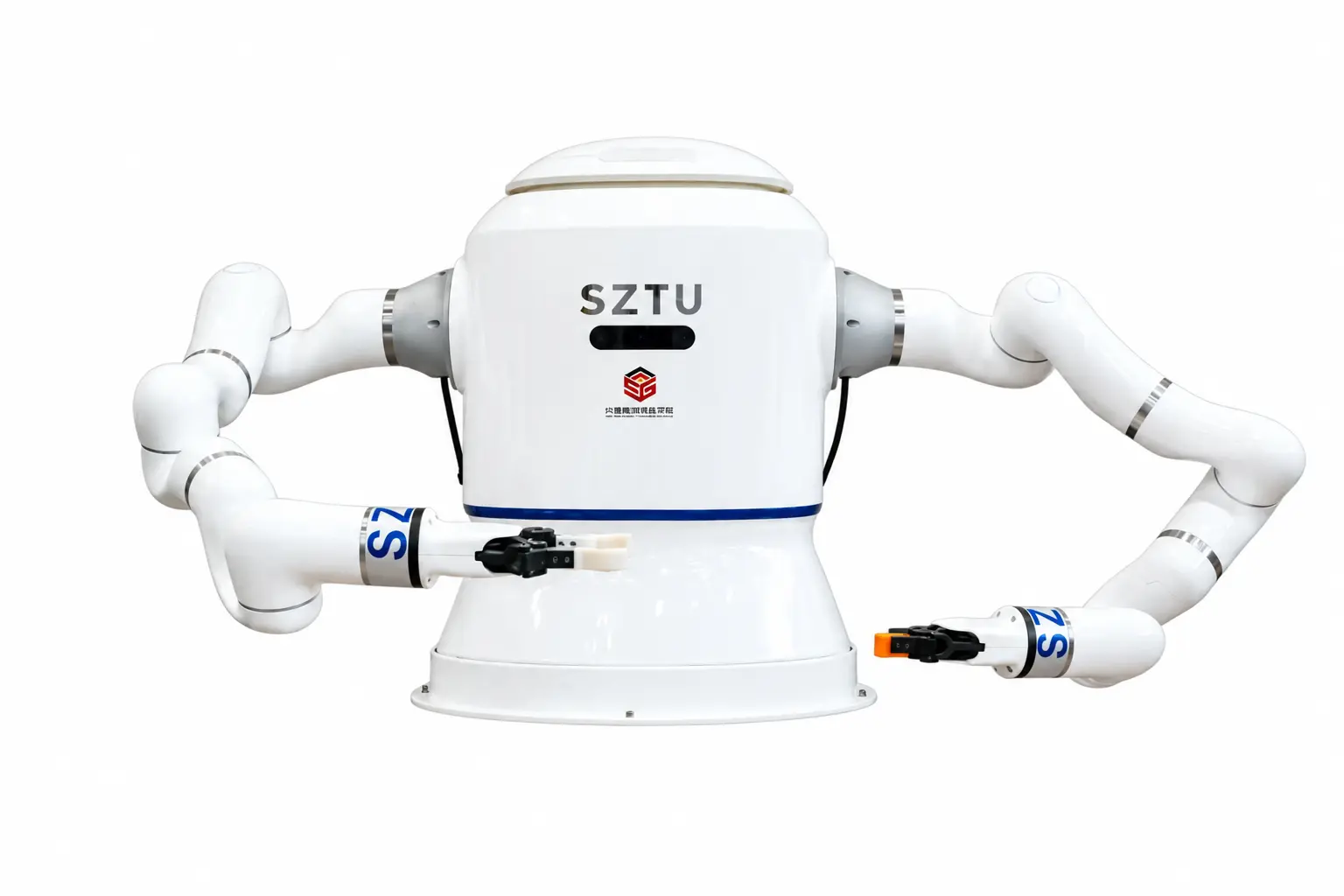
Prototype
| Platform formats | Fixed dual-arm experimental platform / Tabletop service prototype |
|---|---|
| Task focus | Grasping, regrasping, coordinated assembly and service tasks |
| Software capabilities | 3D vision, planning, control and digital twins |
Two platform formats are shown. Arms, end effectors and software capabilities are selected around the task.
Discuss your applicationTwo recordings show tabletop service tasks and synchronization between a virtual model and physical robot arms.
The videos show different prototypes and validation environments. Platform structure, end effectors, task sequences and experimental scope are confirmed for each project.
Connect object recognition, grasp planning and dual-arm control for manipulation research and task validation.
Use RGB-D sensing and point clouds for object segmentation, recognition and 6D pose estimation, providing inputs for grasp planning.
Select grasp poses based on object geometry, gripper design and the available workspace, connecting perception to manipulation.
Transfer objects between the arms and adjust their orientation to prepare for assembly, pouring or other manipulation tasks.
Plan movements using robot kinematics and scene constraints, coordinating both arms and checking for collisions.
Observe robot states and validate movements in a virtual model, then link the model with physical motion and execution.
Access joint states, motion control and forward/inverse kinematics to support reinforcement-learning experiments and higher-level algorithm development.
These reference specifications describe the fixed experimental platform with two collaborative robot arms. The tabletop service prototype has a separate configuration.
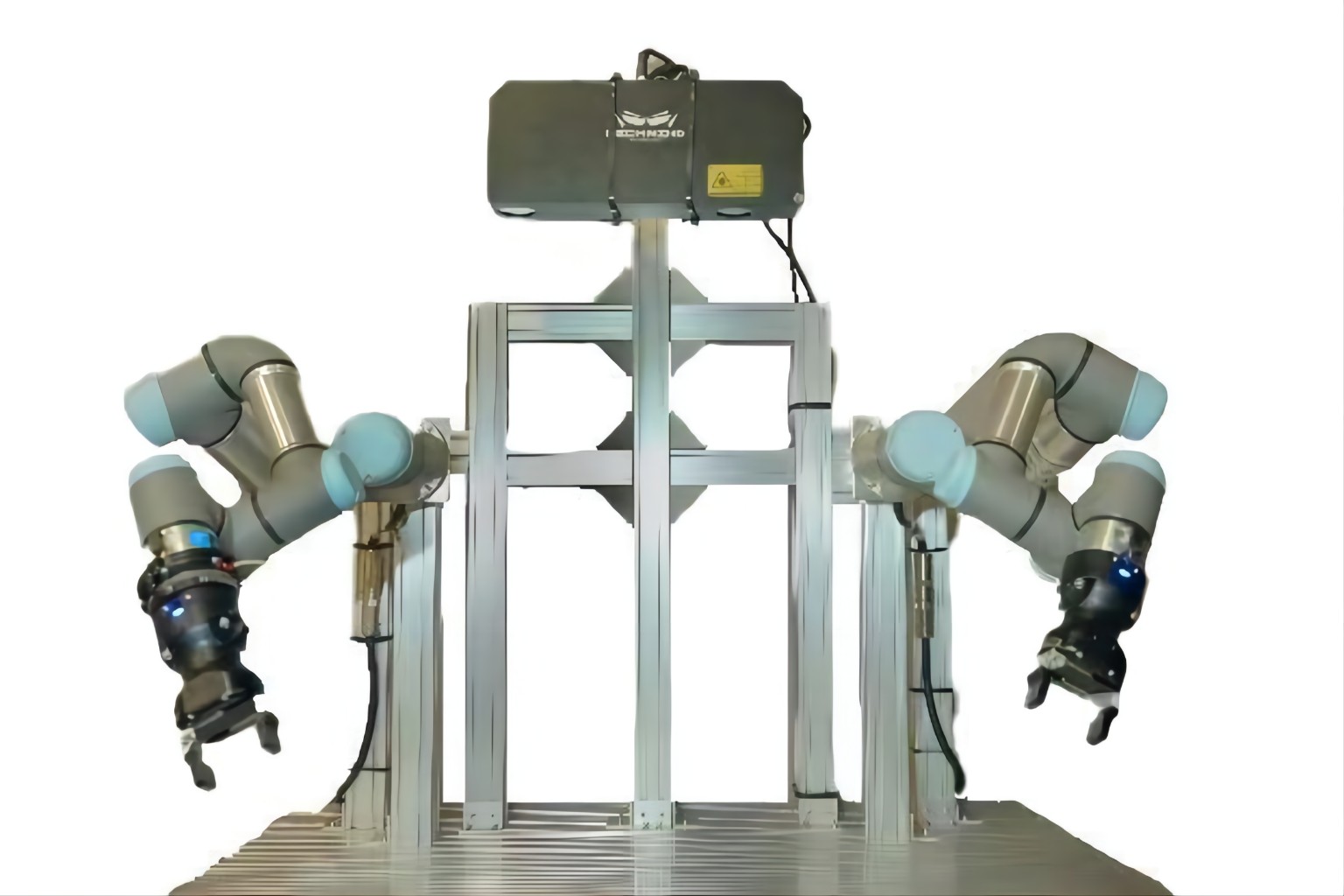
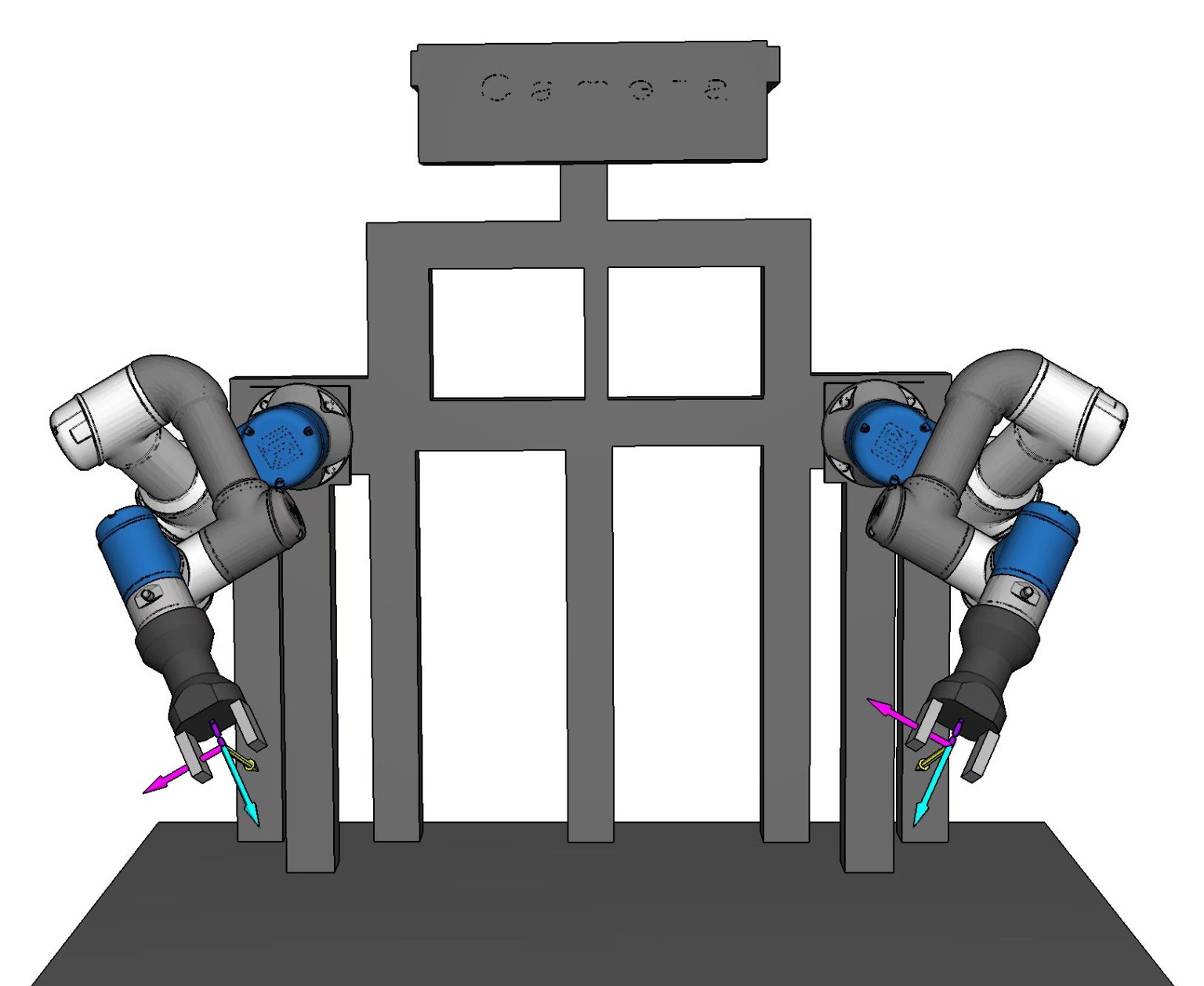
| Degrees of freedom per arm | 6 |
|---|---|
| Total arm degrees of freedom | 12 |
| Weight per arm | 16 kg |
| Payload per arm | 3 kg |
| Maximum reach per arm | 625 mm |
| Arm repeatability | ±0.02 mm |
| Tool speed | ≤ 1.9 m/s |
| Maximum joint speed | 180°/s |
| Final joint range of motion | ±360° |
| Platform dimensions | 1200 × 900 × 1800 mm |
| Platform frame | European-standard aluminum extrusion |
Specifications refer to the configuration in the product manual. Component selection and delivery scope are confirmed for each project. Arm repeatability does not represent the assembly accuracy of the complete platform.
Discuss your applicationDefine the configuration and validation scope around the workpiece, end effectors, task sequence and operating environment.
Experiment with perception, arm coordination, grasp strategies and reinforcement learning for manipulation research and teaching.
Test positioning, regrasping and coordinated manipulation with connectors and other workpieces to evaluate assembly workflows.
Use cup handling, pouring and coffee preparation to explore arm coordination, object orientation and multi-step manipulation.
Digital twin integration, grasping and regrasping, handovers, continuous task execution and tabletop service sequences. Test objects, evaluation metrics and acceptance conditions are defined for each project.
Plan experiments using the mechanical design, recorded demonstrations and robotics courses.
Explore the fixed platform's reference configuration and use the videos to examine grasping, handovers and coordinated arm motion.
View the configurationExplore robotics fundamentals, control methods and system integration alongside the platform designs and task demonstrations on this page.
Explore robotics courses (Chinese)Use the cup-handling, pouring and digital twin demonstrations to examine perception, planning, execution and feedback.
Watch demonstrationsControl software, interface documentation and example code for this model are being prepared. Before operating hardware, confirm the instructions and interface definitions for the specific prototype.